
Guides
How to Add Multiple Wallets to Your Layer3 Account
•
by yichuandrive.eth
The notion of identity in Web3 is a complex one, with questions around when and how to determine the individual associated with a wallet.
Various solutions, such as ENS and Gitcoin Passport, aim to provide users with distinctive identifiers and track their on-chain reputation. Additionally, Layer3’s Quests assist in gauging on-chain progress. The idea driving these initiatives is that wallet activity serves as a reflection of a person’s true identity.

Multi-wallet support refers to the ability of a Layer3 solution to support multiple wallets on a single platform. A wallet is a software application that stores a user’s private keys and allows them to send and receive cryptocurrencies. In the past, users had to download a separate wallet for different purposes and always Log In via those wallets to explore Quests. However, with multi-wallet support, users can manage all their wallets before or during the Quests from a single interface, making it much more convenient and efficient.
As an example, The Solana ecosystem is another Layer3 solution that provides support for multi-wallets. Cosmos ecosystem will be here soon as well.
Many protocols make the mistake of trying to tackle sybil and botting issues at the individual wallet level. They often spend a significant amount of time and resources verifying whether a wallet is trustworthy or not, which can be futile. Even a sophisticated bot can evade such checks by imitating trustworthy on-chain behavior, such as making large transactions or committing substantial amounts of cryptocurrency to the task. This is a common indicator used to determine wallet reliability.
Why use multiple wallets?
To begin your journey among Layer3’s Universe, users need to create an account and connect the wallet.
What if the user possesses multiple wallets, ranging from 2 to 5 (or even more), each intended for a distinct purpose?
Layer3 solved this problem with multi-wallet support. Multi-wallet support makes it more convenient to accomplish Quests using not only a single wallet but several wallets, enabling you to consolidate your on-chain achievements via your Layer3 profile in a more effective manner.
How to connect multiple wallets to Layer3
Below is a short walkthrough on how to connect multiple wallets to your Layer3 account! Let’s get started.
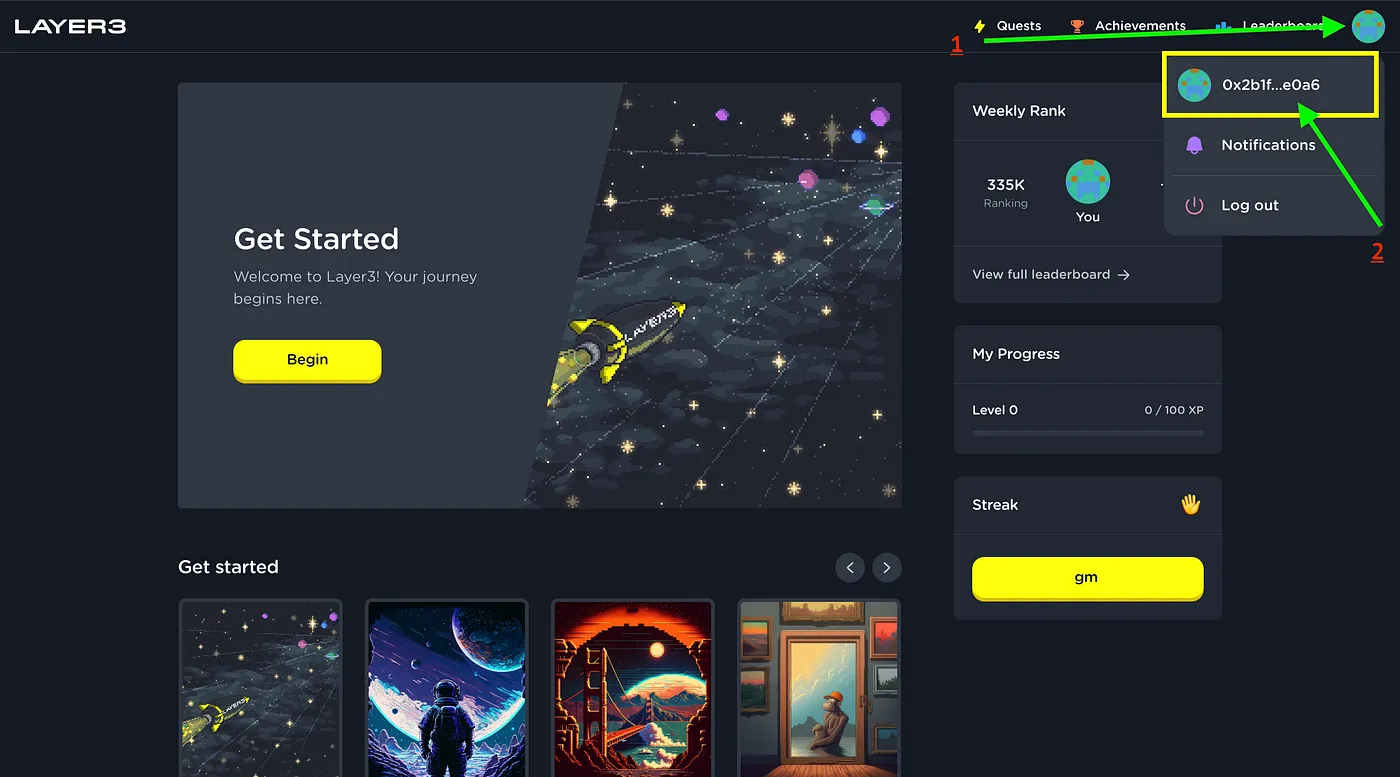
Click in your profile icon in top right corner
Proceed by clicking on your wallet address to redirect to your user profile page
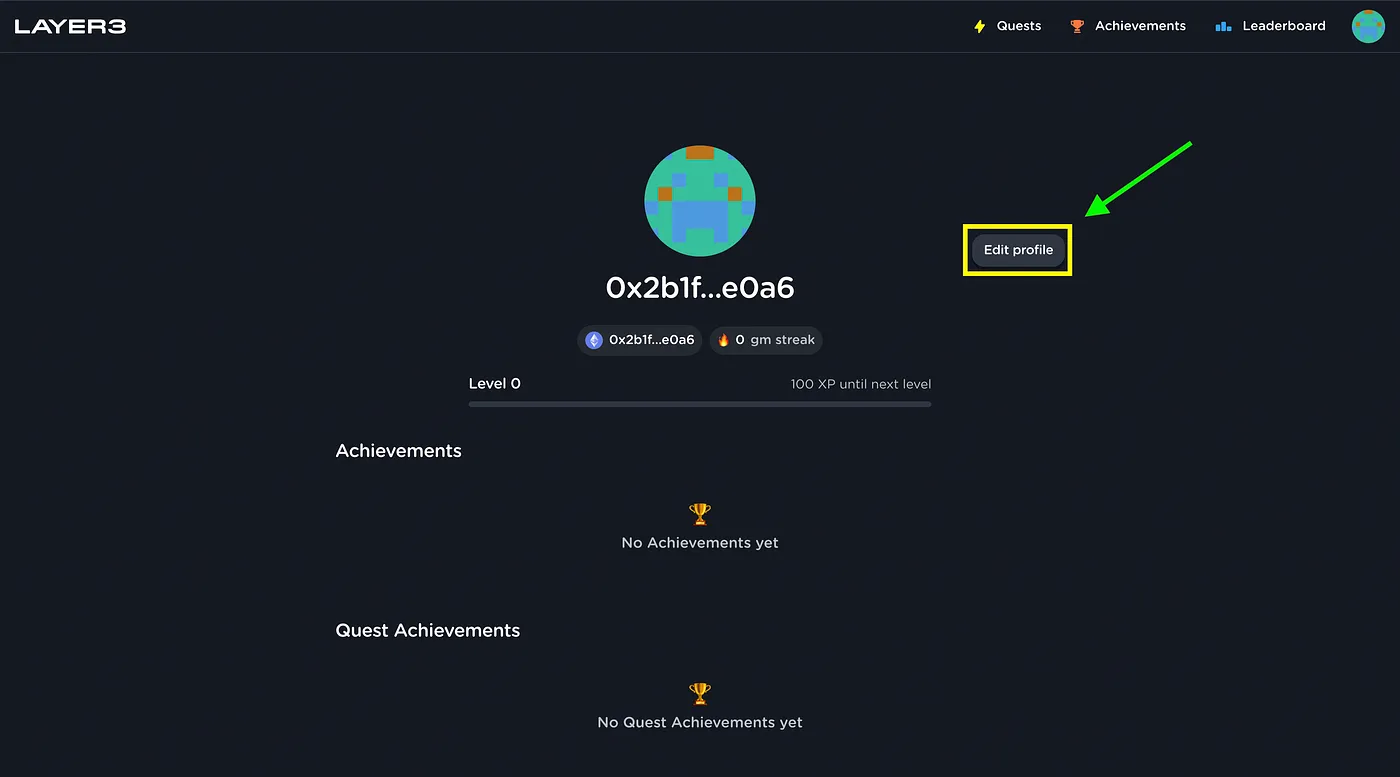
Then, click “Edit Profile”, and the following modal should show up:
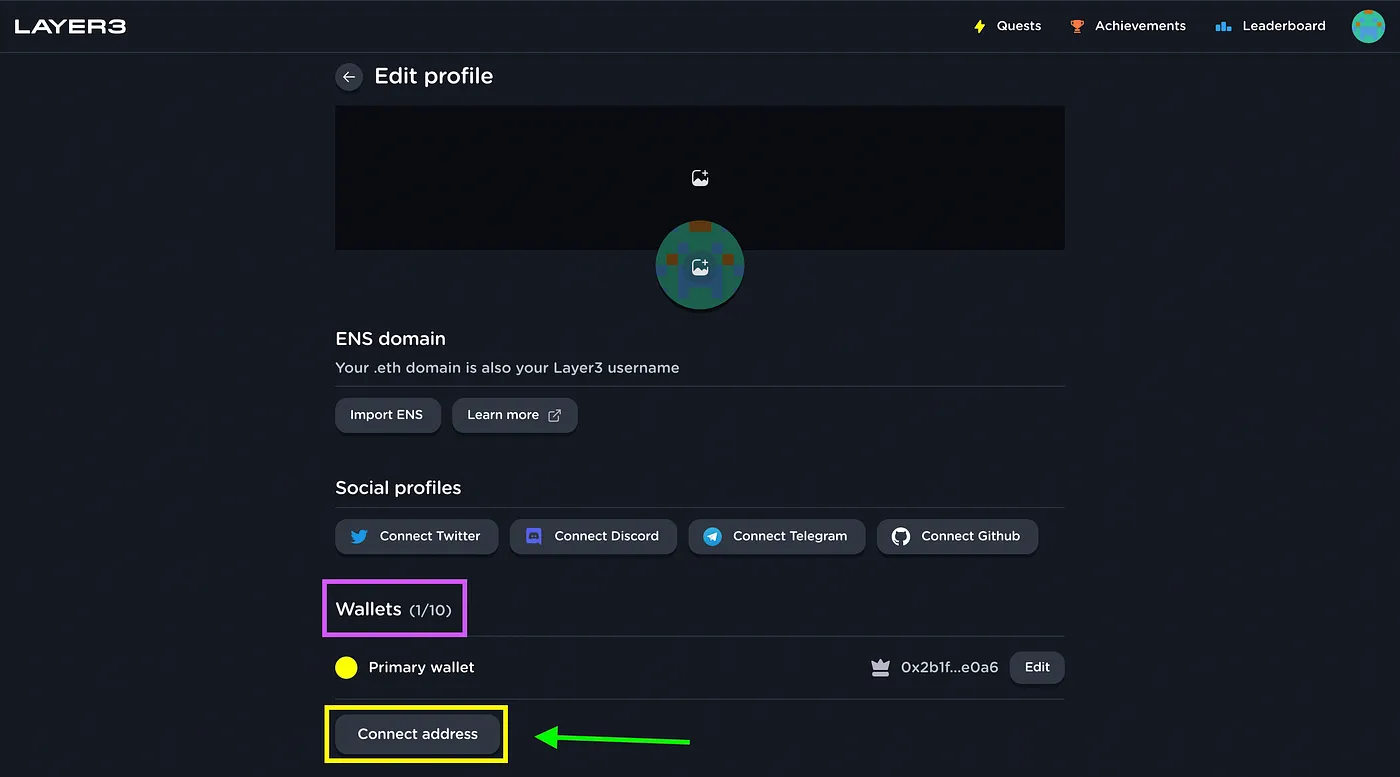
Users can connect up to 10 different wallets on their Layer3 profile, and can switch between their Primary and Secondary wallets.
Your primary wallet should already be connected to Layer3 if you have a profile, so scroll down to add your secondary wallet
Click on “Connect address” to add secondary wallet
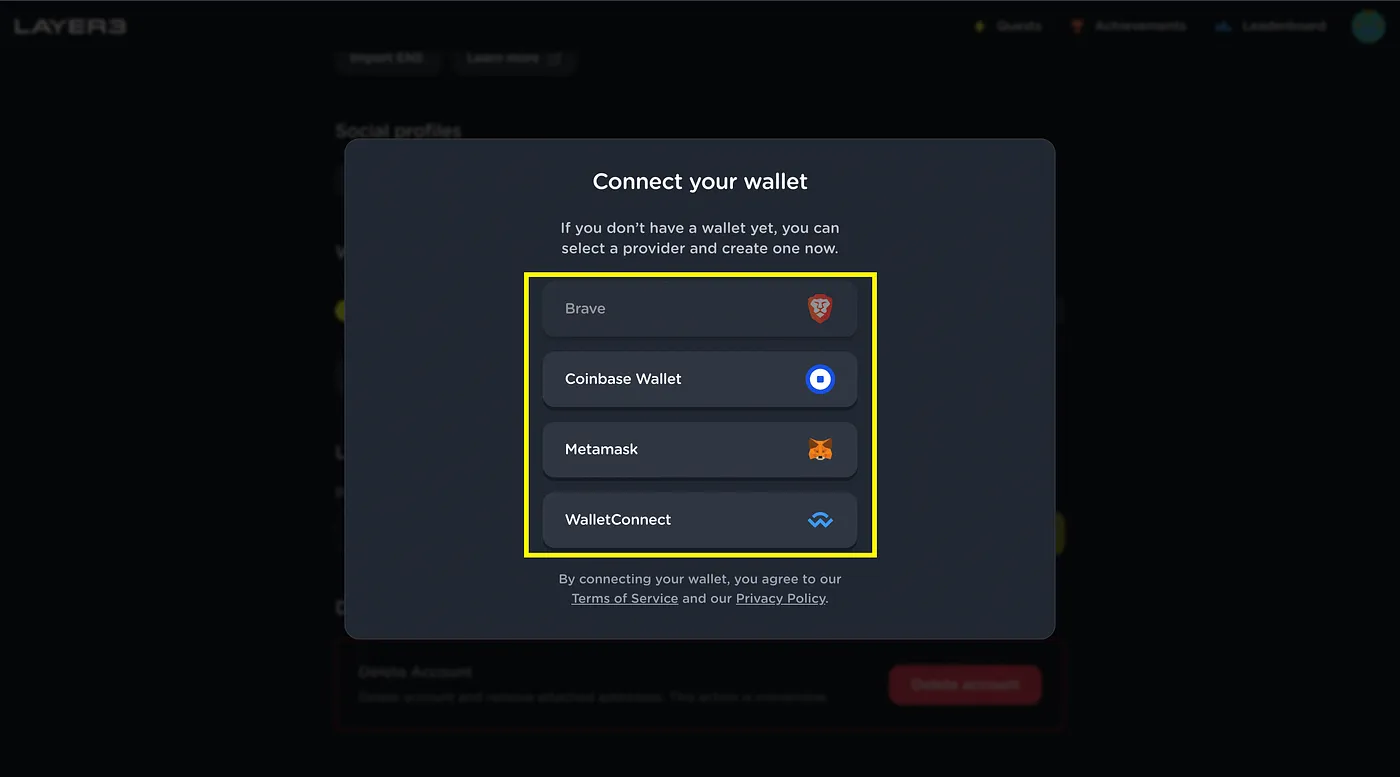
Aside from Metamaksk wallet, Layer3 also supports Coinbase Wallet, Brave Wallet and most EVM-compatible wallets on WalletConnect.
Pick the one you have and click to proceed
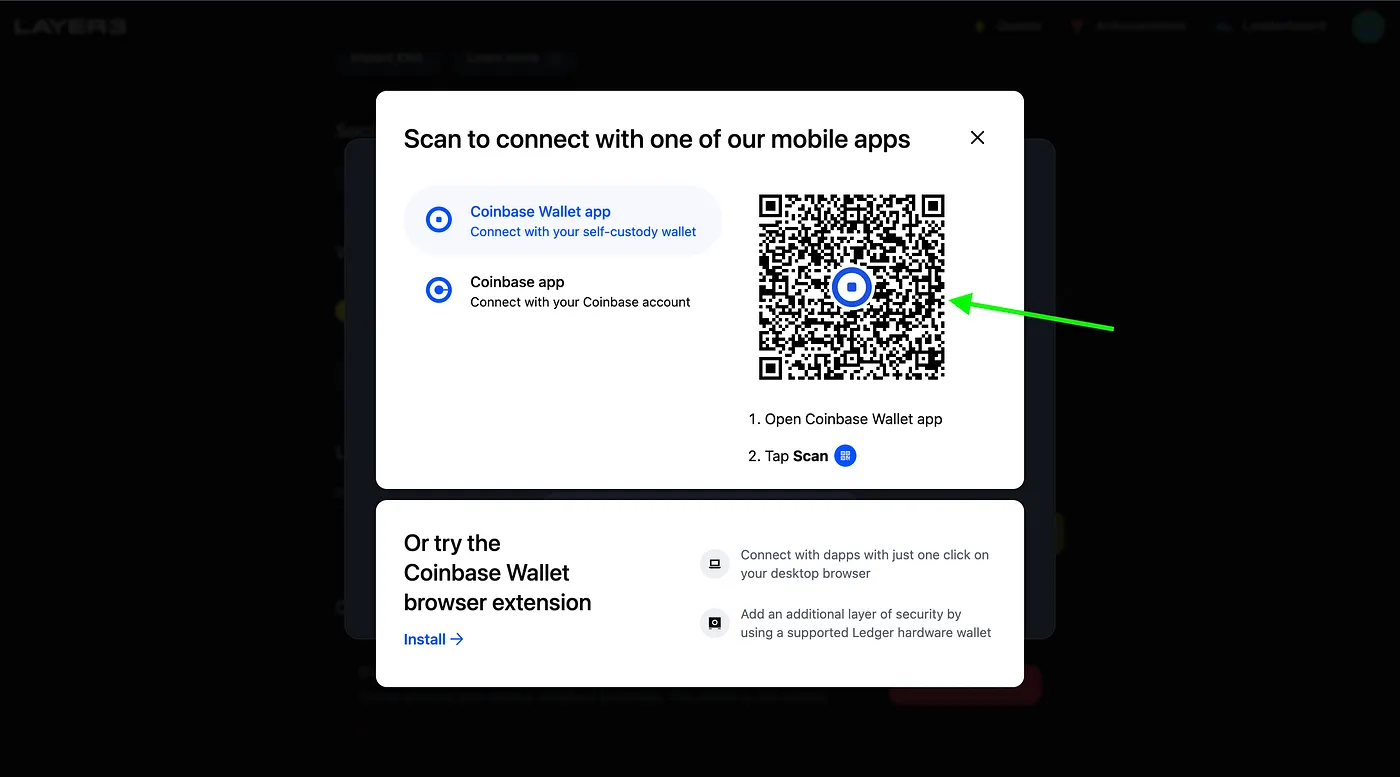
Since I’m using Coinbase Wallet, this is the modal that will show up. You can download Coinbase wallet HERE.
Open up your phone and scan the QR code to connect
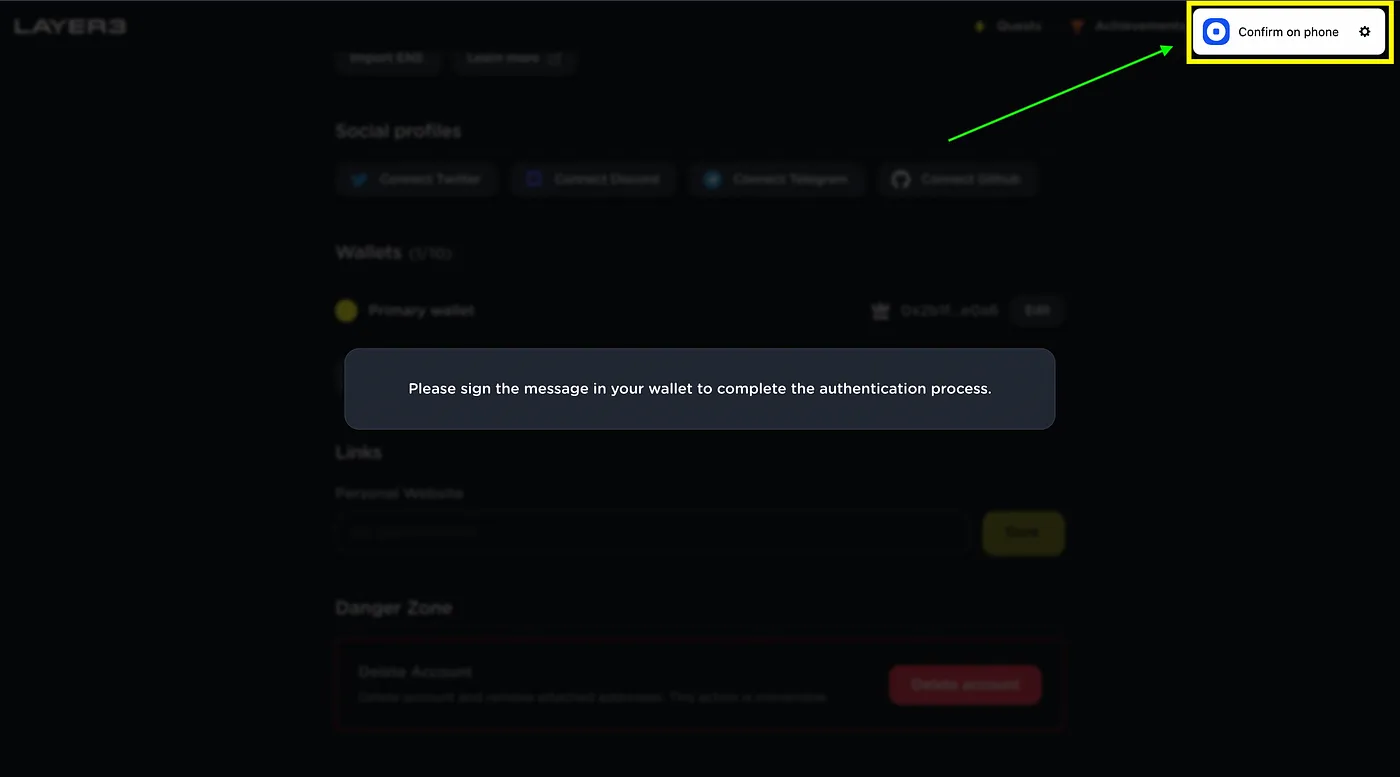
Sign the message on your Mobile wallet to complete the process of adding your wallet
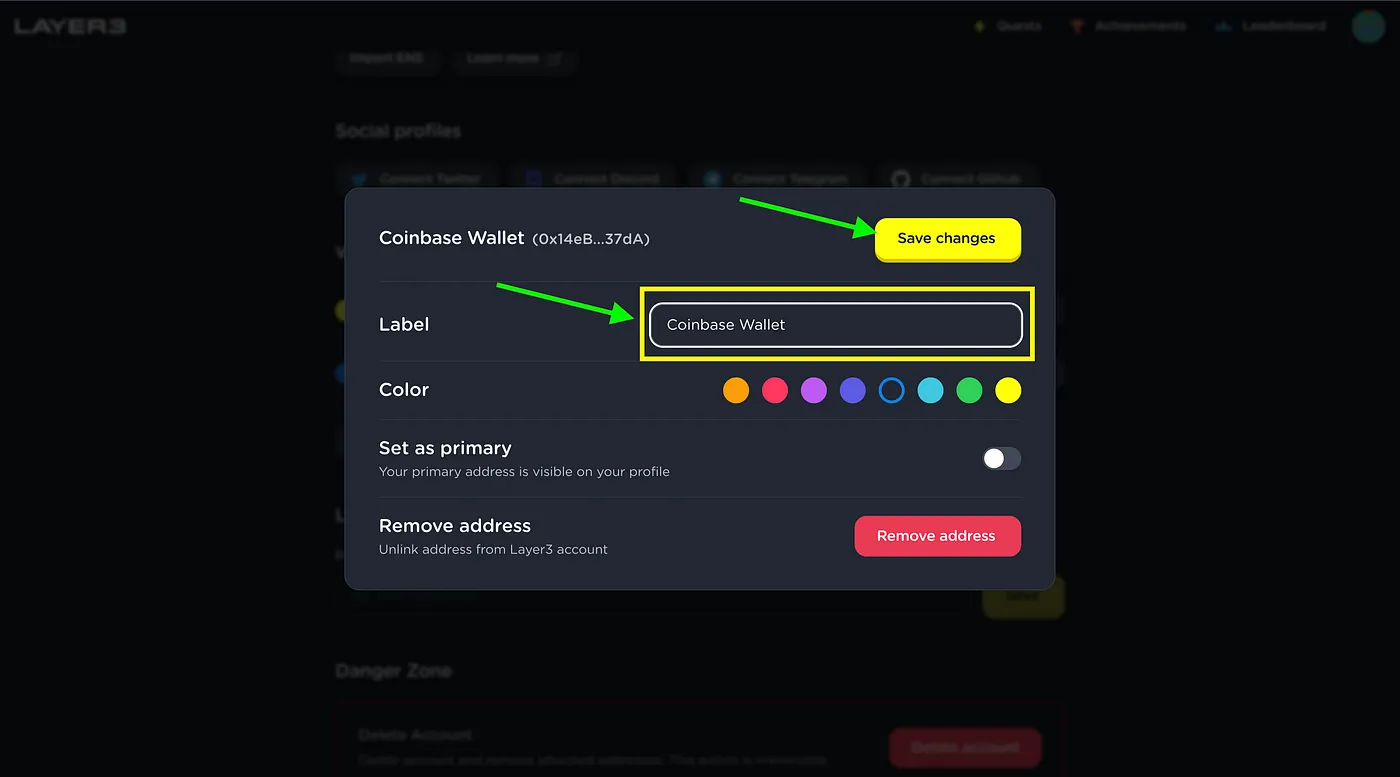
Add a label to your wallet
Change to your desired color
Set it as your primary wallet if you would prefer (your primary wallet will be visible on your profile and will be your wallet to receive all NFT and token rewards on Layer3)
Click on “Save changes” to complete the connection
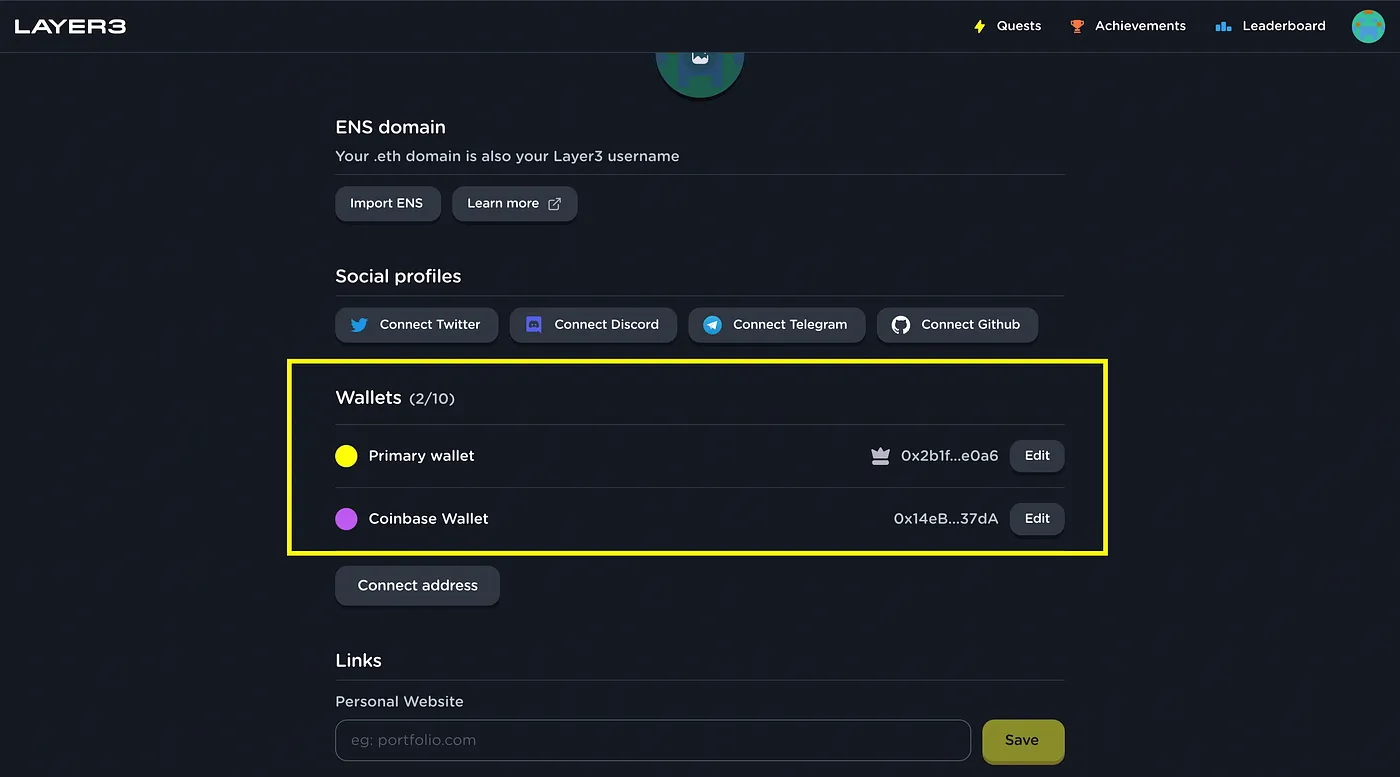
Congratulations, now you have two wallets connected to Layer3. Feel free to try it out by switching between wallets!
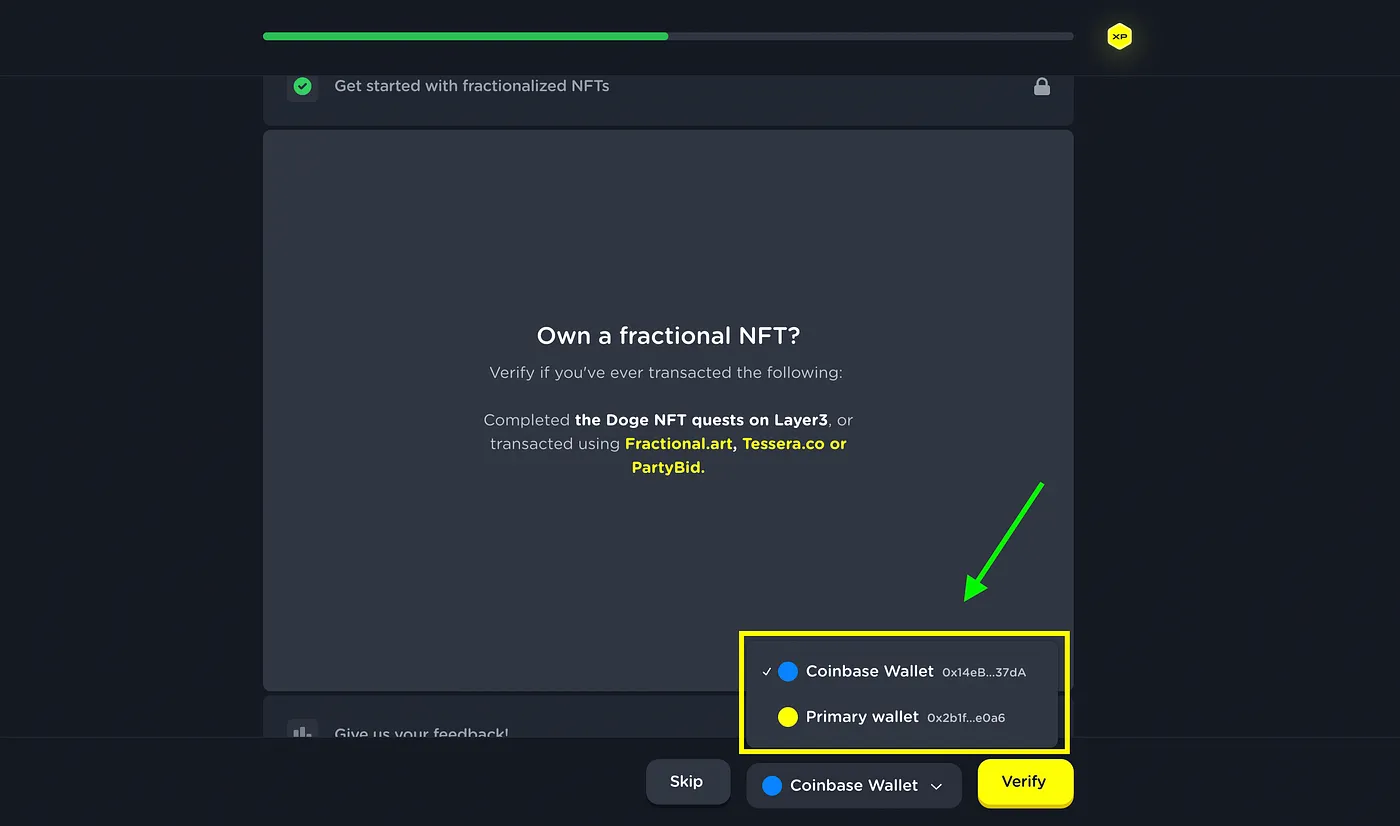
You always will be able to select the address that you want to use for verifying a Quest step from your list of connected addresses. P.S. Rewards will be always sent to your Primary Address.
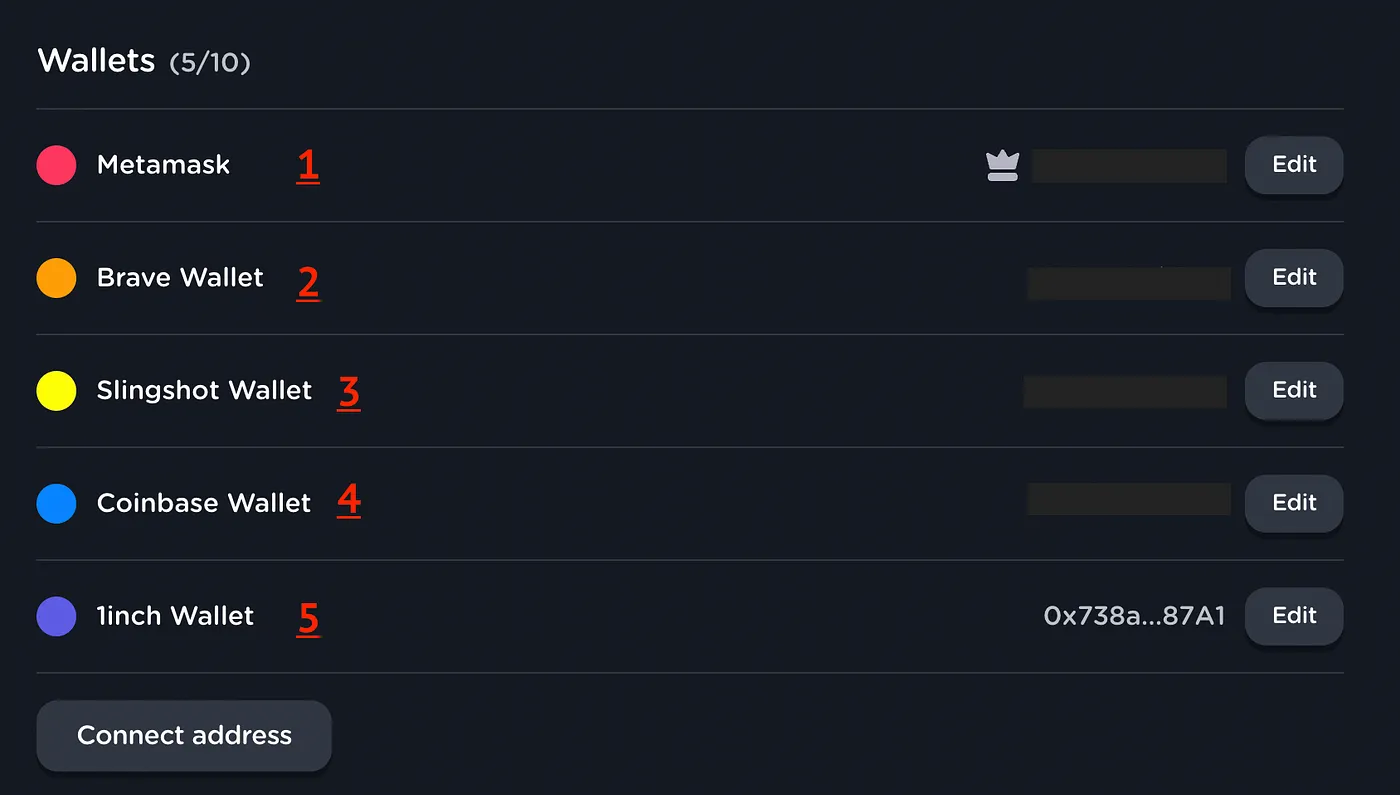
List of supported wallets (with more coming soon)
We currently support the following types of wallets on Layer3, but we can add most EVM-compatible wallets upon customer request. Contact us for more information!
In conclusion, Layer3’s multi-wallet support feature offers users a range of benefits, including improved convenience, enhanced security, and greater flexibility when it comes to managing their cryptocurrency holdings. Layer3’s aim is to simplify the process of linking different types of wallets (other than EVM-based ones) on one account, making it a seamless and delightful experience for users who want to explore new ecosystems. Additionally, we foresee a future in which the crypto user experience will involve multiple wallets, in which a user’s on-chain identity and reputation won’t be limited to a single wallet.
With multi-wallet support, Layer3 users can now operate seamlessly between multiple ecosystems without having to frequently import or switch wallets.
Thanks for reading this!
Layer3 is empowering the next generation of web3 users as the best place to learn, explore, and succeed in web3. Take custody of your assets and learn the essential skills for a decentralized future through our guided crypto courses. We take users through exciting new web3 products via interactive on-chain experiences and educational Quests, and have helped over 40+ customers take 200k+ users through 10M+ on-chain actions.
To continue your web3 journey, find Layer3 on Twitter, Discord, or Telegram.